Launch Deal Get SlotPress Pro for €39/year €79/year Limited early launch price.
Get Launch Deal
Coworking Space Booking

Coworking Space Booking Plugin for WordPress

Let members choose a desk, office or meeting suite, pick a date and confirm their slot — directly from your coworking website. Capacity tracking, hold timer and automatic email confirmations included in Pro.

Capacity per slot Live availability Hold timer Email confirmation
Ready in 5 min
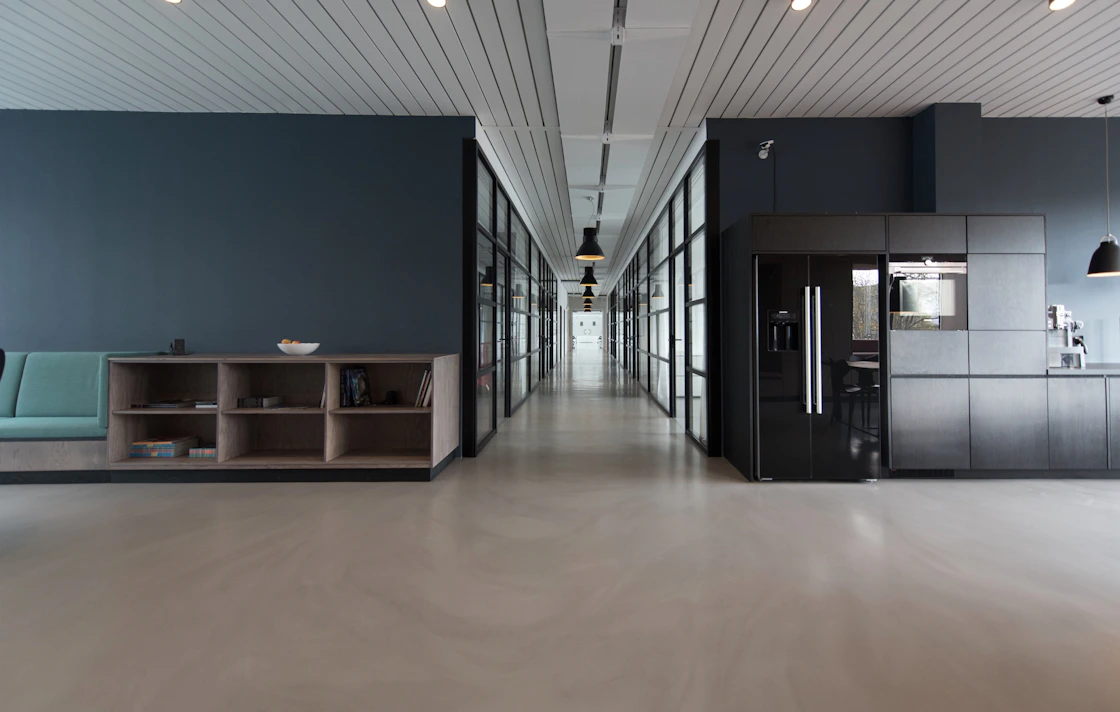
Modern coworking space with open desks and private offices available for online booking with SlotPress
Available today
Hot Desk
Hot Desk
6 spots remaining today
€15/day
Private Office
Private Office
2 offices available
€45/day
Meeting Suite
Meeting Suite
3 slots open this afternoon
€35/2h
Quick answer · What is the best WordPress booking plugin for coworking spaces?

SlotPress is a WordPress booking plugin for coworking spaces that lets members choose a desk or private office, pick a date and book a confirmed slot from your website. It includes per-resource capacity tracking, live availability indicators, a hold timer that prevents overbooking and automatic email confirmations. Resource Booking mode is available in SlotPress Pro (€39/year during launch).

Why Coworking Spaces Choose SlotPress

Stop managing desk reservations
through spreadsheets and Slack.

Without online booking

Every desk reservation is a manual task your team didn't need.

  • Members messaging to ask which desks are free tomorrow
  • Spreadsheet reservations that get overwritten or ignored
  • Two members arriving to find only one hot desk left
  • No-shows on private offices that could have been resold
  • Booking a meeting room by emailing the manager and waiting for confirmation
  • No paper trail of who booked what — and when
With SlotPress

Members self-serve. Spaces run at capacity. No admin overhead.

  • Members see live availability and book the right space for their day
  • Per-resource capacity prevents overbooking — hot desks accept multiple bookings, offices don't
  • The hold timer locks a spot while the member completes the form
  • Email confirmation and Apple iCal mean no missed reservations
  • Every booking logged automatically — full record of usage and revenue
  • The setup wizard and [slotpress_booking] shortcode get you live in minutes
See It In Action

From "is there a desk free Tuesday?"
to a confirmed reservation.

This is what booking a coworking space looks like on your website with SlotPress Pro — five clear steps, no back-and-forth.

1
Choose SpaceHot Desk, Private Office, Meeting Suite, Event Space…
2
LocationPick a branch or floor — capacity shown per zone
3
Date & TimeDot shows remaining capacity — green, amber or full
4
Your DetailsName, email, company and number of attendees
5
ConfirmedInstant email + Apple iCal — space reserved
Choose a Space
Hot Desk
Hot Desk
Flexible open desk in the shared working area.
1 day
€15/day
Private Office
Private Office
Lockable office for solo work or small teams (1–3).
1 day
€45/day
Meeting Suite
Meeting Suite
Boardroom for up to 8 — screen, whiteboard and video included.
2h
€35/2h
Event Space
Event Space
Open area for workshops, talks and team days (30+).
1 day
€150/day

Click through it — a real SlotPress booking flow for a coworking space. (Interactive preview, not a live booking)

Setup Wizard

Tell SlotPress about your spaces.
It builds your booking page instantly.

6 guided steps. Choose "Resource Booking" mode and SlotPress configures your spaces, capacity and availability in minutes.

01
Business Type
Choose "Resource Booking" — the Pro mode built for spaces with capacity-based availability
02
Use Case
Pick "Coworking" from 22 business use case presets to load desk and office defaults
03
Spaces & Capacity
List your spaces and set the maximum simultaneous bookings per resource per slot
04
Availability
Opening hours, booking intervals (all-day, half-day, hourly) and days off
05
Design
Accent colour, theme and widget style — live preview as you configure
06
Auto-setup
Your booking page is created with the shortcode placed — ready to publish
Your coworking booking page uses the shortcode [slotpress_booking] — added automatically.
Get SlotPress Pro — €39/year
Live Customizer

Match your space's brand,
before you publish.

Adjust accent colour, theme, corner radius and density — the booking widget preview updates instantly, no code required.

Accent Color
Theme
Corner Radius
Density
Display Mode
Choose a Space
Hot Desk
Hot Desk
Flexible open desk in shared area.
1 day
€15/day
Private Office
Private Office
Lockable office for solo or small team.
1 day
€45/day
Meeting Suite
Meeting Suite
Boardroom for up to 8 people.
2h
€35/2h
Built For Coworking Spaces

Everything a coworking space needs
to manage desk bookings online.

Resource Booking mode is included in SlotPress Pro — start free with Appointment mode or upgrade to unlock space booking.

Resource Booking Mode

The complete booking system for spaces — resource types, capacity limits, availability and confirmations

Capacity Per Slot

Hot desks accept multiple simultaneous bookings (up to your capacity); private offices stay exclusive

Live Availability

Members see exactly how many spots remain before booking — green dots for available, red for full

Multiple Space Types

List Hot Desks, Private Offices, Meeting Suites and Event Spaces — each with their own rules

Flexible Booking Intervals

Full day, half day or hourly booking intervals — set per resource to match how you actually sell time

Hold Timer

Reserves a spot while the member fills in details — prevents overbooking during simultaneous attempts

Booking Form Fields

Collect company name, team size, visit purpose or any intake details your space needs

Email Confirmation

Every booking triggers an automatic confirmation — full paper trail, no manual admin

Apple iCal Download

Members add their desk booking to their calendar — no more showing up to find someone else in their spot

Map & Location Features

Show your space on a map with floor plan indicators — available in Pro

Widget Appearance Customizer

Adjust colours, theme and style to match your space's brand — live preview before publishing

Shortcode

Drop [slotpress_booking] into any page — the booking widget appears instantly

Pricing

Start free. Unlock resource booking with Pro.

The free plan includes complete Appointment Booking. Upgrade to Pro to unlock Resource Booking mode for desks, offices and meeting rooms.

Launch deal ends soon — €39/year instead of €79
SlotPress
Free
€0
Forever. No credit card required.
Complete Appointment Booking for WordPress.
  • Appointment Booking Mode
  • Services & Staff
  • Availability Rules & Basic Locations
  • Calendar, Hold Timer & Booking Form
  • Email Confirmation & Apple iCal Download
  • Setup Wizard & Widget Customizer
  • [slotpress_booking]
Download Free
Launch Deal
SlotPress
Pro
€39
/year · 1 site
Regular price: €79/year
Early launch price.
Includes Resource Booking mode — desks, offices and meeting rooms with capacity tracking.
  • Everything in Free, plus:
  • Booking Modes
  • Resource Booking Mode ← coworking spaces
  • Rental Booking Mode
  • Logistics Booking Mode
  • Advanced Workflows
  • Popup & Fullscreen Display
  • Booking Steps Customization
  • Custom Widget Labels
  • Duration-Based Pricing
  • Start / End Range Booking
  • Capacity Management
  • Advanced Form Fields
  • Map & Location Features
  • Integrations
  • WhatsApp Business API
  • Webhooks
  • Google Calendar Sync
  • Outlook & Teams
  • Google Analytics 4
  • Meta Pixel Events
  • GDPR Consent Audit Trail
  • Custom Color Palette
Get Launch Deal — €39/year
SlotPress
Pro Plus
€99
/year
5 site licenses. For web designers building booking systems for coworking brands.
  • Everything in Pro, plus:
  • 5 site licenses
  • Client project usage
  • Priority support, if included
Start Pro Plus
SlotPress
Agency
€179
/year
25 site licenses. For agencies building booking systems at scale.
  • Everything in Pro, plus:
  • 25 site licenses
  • Agency-friendly licensing
  • Build booking systems at scale
Choose Agency

All plans include a 14-day money-back guarantee. Annual billing. Cancel anytime.

FAQ

Coworking booking, answered.

What is the best WordPress booking plugin for coworking spaces?+
SlotPress Pro includes Resource Booking mode — purpose-built for coworking spaces. Members choose a desk or office, pick a date and book a confirmed slot with live capacity indicators, a hold timer and automatic email confirmations.
Can multiple members book the same hot desk area on the same day?+
Yes. SlotPress's Resource Booking mode supports capacity per slot — a hot desk area with 12 seats accepts up to 12 simultaneous bookings for the same date. Private offices stay exclusive to one booking at a time.
Can members see how many desks are still available before booking?+
Yes. SlotPress shows live availability on each date — members see remaining capacity before they claim a spot, reducing last-minute surprises and encouraging early booking.
Can I offer both full-day and hourly desk bookings?+
Yes. Each resource can have its own booking interval — full day, half day or hourly — set independently. A hot desk might offer all-day booking while a meeting suite is booked in 2-hour blocks.
Is Resource Booking mode available in the free plan?+
Resource Booking mode is a Pro feature. The free plan includes the complete Appointment Booking mode, which is great for 1-on-1 service businesses. Upgrade to Pro (€39/year during launch) to unlock space and resource booking with capacity tracking.
How quickly can I set up desk booking for my coworking website?+
The Setup Wizard guides you through space types, capacity limits, hours and widget design in a few minutes, then creates a booking page with the [slotpress_booking] shortcode automatically placed.
People Also Ask

Related questions.

How do I add desk booking to a coworking website?

Install SlotPress Pro, run the Setup Wizard selecting "Resource Booking" mode and place the [slotpress_booking] shortcode on any page — your space booking system goes live in minutes.

Can a coworking space manage capacity with a WordPress plugin?

Yes — SlotPress Pro's Resource Booking mode lets you set a maximum capacity per resource per slot, so hot desks accept multiple bookings up to your limit while private offices stay exclusive.

How can I prevent overbooking at a coworking space?

SlotPress combines capacity limits with a hold timer — a spot is reserved the moment someone starts booking, and the capacity counter updates in real time to prevent simultaneous overbooking.

Can I offer meeting room booking as well as hot desks?

Yes — list each space type (Hot Desk, Private Office, Meeting Suite) as a separate resource with its own capacity, pricing and availability rules.

Will members receive a confirmation when they book a desk?

Yes — every booking triggers an automatic email confirmation with Apple iCal download, so members have a full record of their reservation.

Can I match the booking widget to my coworking brand?

Yes — the Widget Appearance Customizer lets you adjust accent colour, theme, corner style and spacing, with a live preview before publishing.

Explore Use Cases

SlotPress for other spaces.

The same booking engine, configured for your resource type.

Get Started

Start managing desk bookings
straight from your website.

Clean, fast to configure and built for real coworking workflows. Start free with appointment booking — upgrade to Pro to unlock resource booking with capacity tracking.